Download PDF
Download page T28500: USR-61 control system.
T28500: USR-61 control system
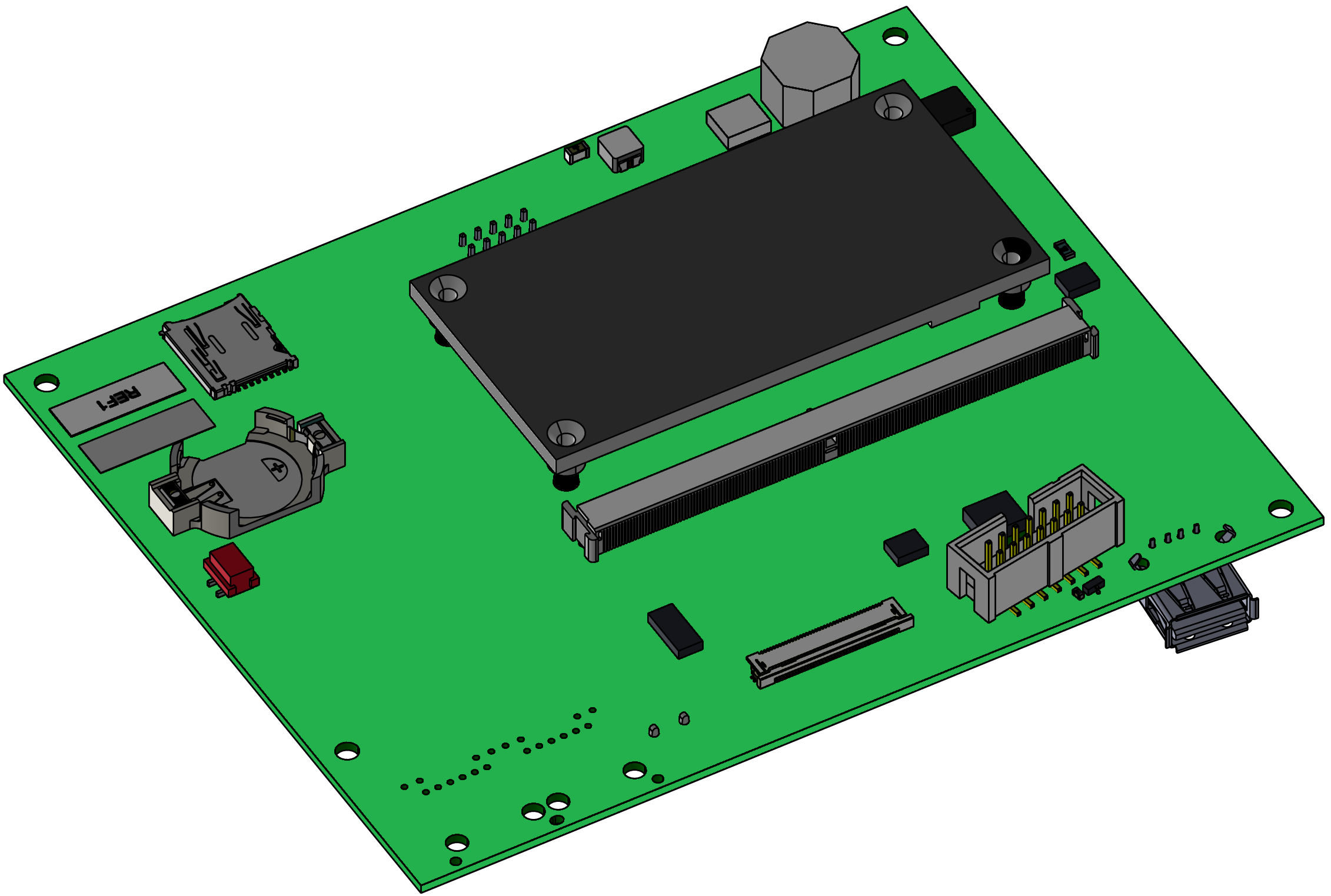
purpose
Replacing the control system USR-61 (A 1)
qualification
Qualified personnel
Material
| Pos. | Designation | article | T28500 |
| 01 | USR-61 control system | T28500 | 1 |
Required material
- Torx screwdriver size 20
- Flat head screwdriver, size 0
Video guide
Follow the QR code link to watch the YouTube video. 
procedure

ATTENTION!
Working with the unit requires knowledge of the safety instructions and quick guide. That's why:
Read the safety instructions and quick guide carefully before starting any work. The basic requirement for safe work is compliance with all safety instructions and careful action by qualified qualified personnel to prevent accidents involving personal injury and property damage.
cooling / switch off
- On the basic screen, tap the function button (
 ).
).- The unit cools down until the temperature is lower than the cooling temperature. The unit then switches off.
- Switch off the main switch (QS 1), pull out the mains-connector.
Open front
- Open the front door and fold the front completely down by loosening the two Torx screws.
Replace spare part
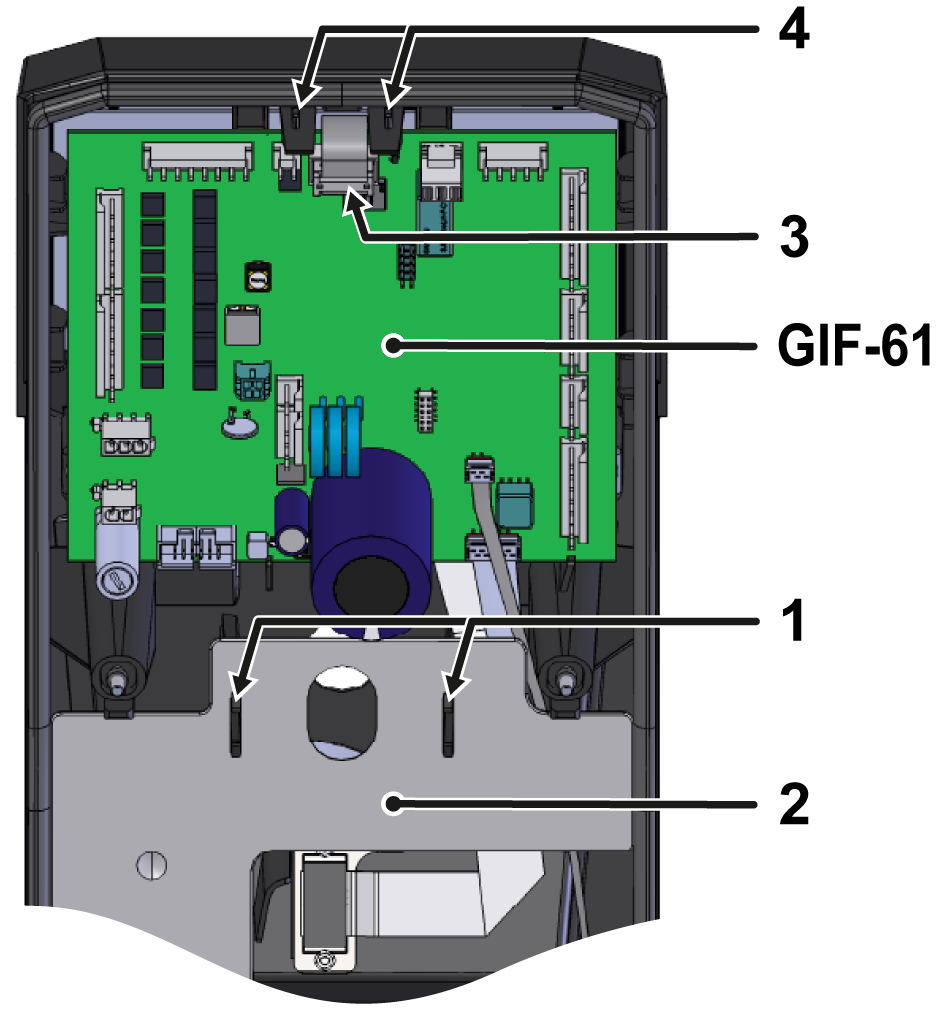
- Press the mounting clips (①) together and remove the cable cover (②).
- Unplug the connector (③) from the GIF-61 unit board.
- Press the GIF-61 unit board mounting straps (④) outwards. The board can now be lifted out and folded back.
- Connectors on the circuit board do not have to be removed.
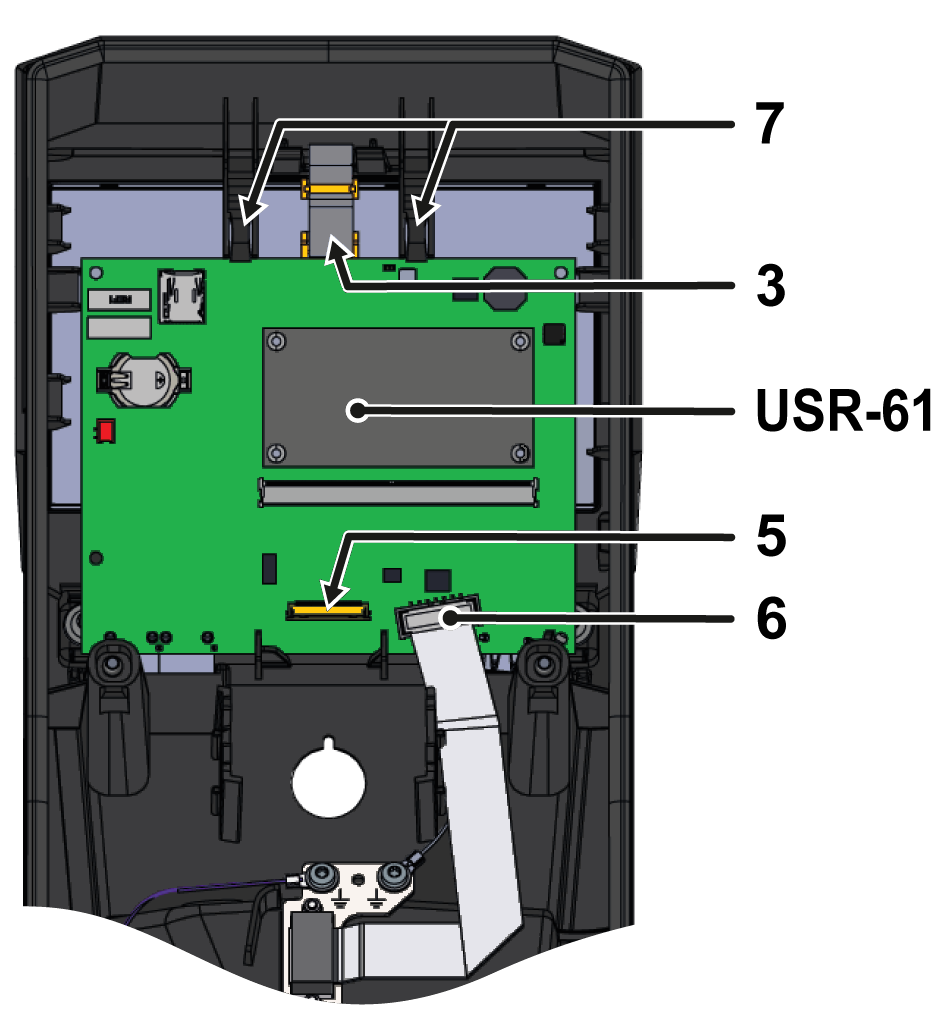
- Unplug the cable connection (⑤) from the display to the USR-61 control system.
- The connector from the display must be unlocked (e.g. With a flat screwdriver) before the cable connection can be pulled out.
- Unplug the connector (⑥) from the HB_CAN connection to the USR-61 control system.
- Push the USR-61 control system mounting straps (⑦) outwards. The circuit board can now be lifted out.
- Remove the ground cable from the back of the board.
- Connect the ground cable to the back of the new USR-61 control system.
- Insert the USR-61 control system into the appropriate recesses.
- Check that the mounting straps (⑦) snap into place
- Reconnect connectors (③, ⑤, ⑥) to the USR-61 control system.
- Insert the GIF-61 unit board into the appropriate recesses.
- Check that the mounting straps (④) snap into place.
- Reconnect the connector (③) to the GIF-61 unit board.
- Insert the cable cover (②) into the appropriate recesses.
- Check that the mounting clips (①) snap into place
Close front
- Fold up the front and secure 2x Torx screws.
Check function
- Connect the mains-connector and switch on the main switch (QS 1).
- The unit performs an automatic software-update.
- Check the time zone, date and time and set them correctly if necessary.

NOTE!
The configuration and calibration data are stored on the GIF-61 unit board and are therefore not lost when the USR-61 control system is replaced.
-
Switch on the unit using the I/O button (
 ), check the tightness and function of the unit.
- Check device functions (regulate for the desired set value)
-
Switch off the unit using the I/O button ().
- The unit switches off and, if necessary, is cooled and depressurised.
- Switch off the main switch (QS 1).