purpose

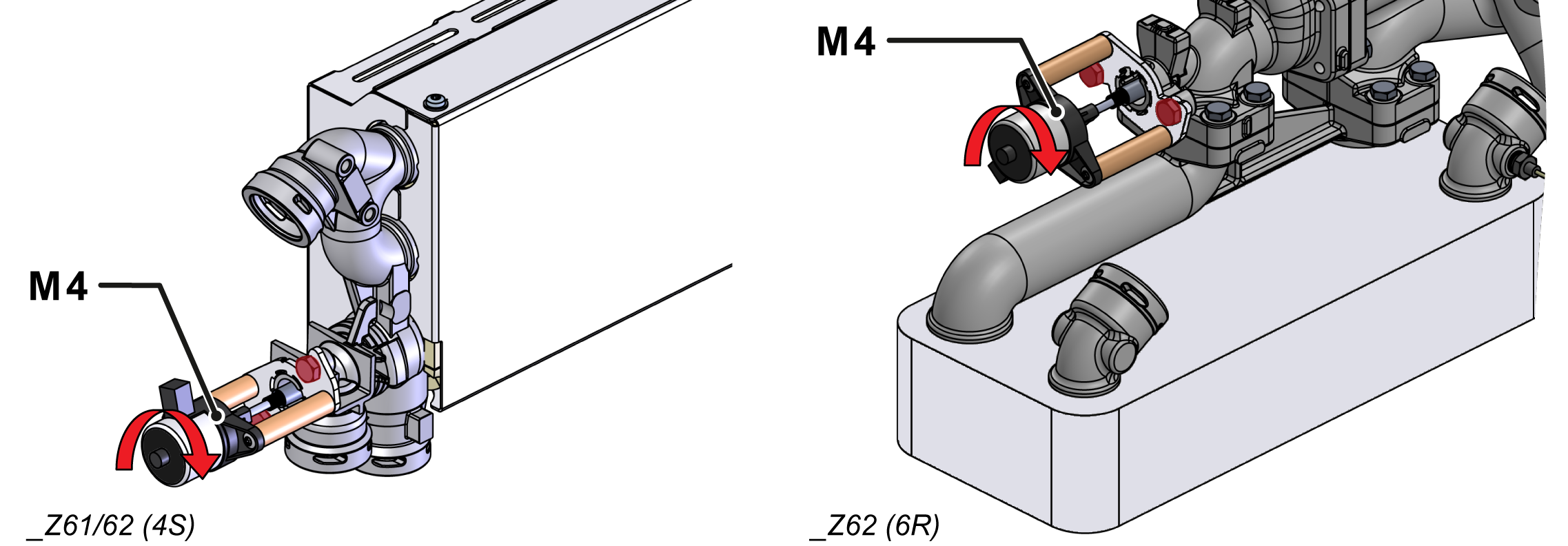
Replacing the linear stepper motor (M 4)

qualification

Qualified personnel

Material

Pos.DesignationarticleT28867
01linear stepper motor with bracketT288671

Required material

  • open-end wrench, size 10

procedure

ATTENTION!

Working with the unit requires knowledge of the safety instructions and quick guide. That's why:

Read the safety instructions and quick guide carefully before starting any work. The basic requirement for safe work is compliance with all safety instructions and careful action by qualified qualified personnel to prevent accidents involving personal injury and property damage.
Cooling / emptying

  • On the basic screen, tap the function button (). 
  • On the basic screen, tap the function button ().
    • The unit cools down and evacuation the mold before switching it off.

Switch off / remove covers

  • Switch off the main switch (QS 1), pull out the mains-connector.
  • Remove covers from the unit (→ Open unit).

Replace spare part

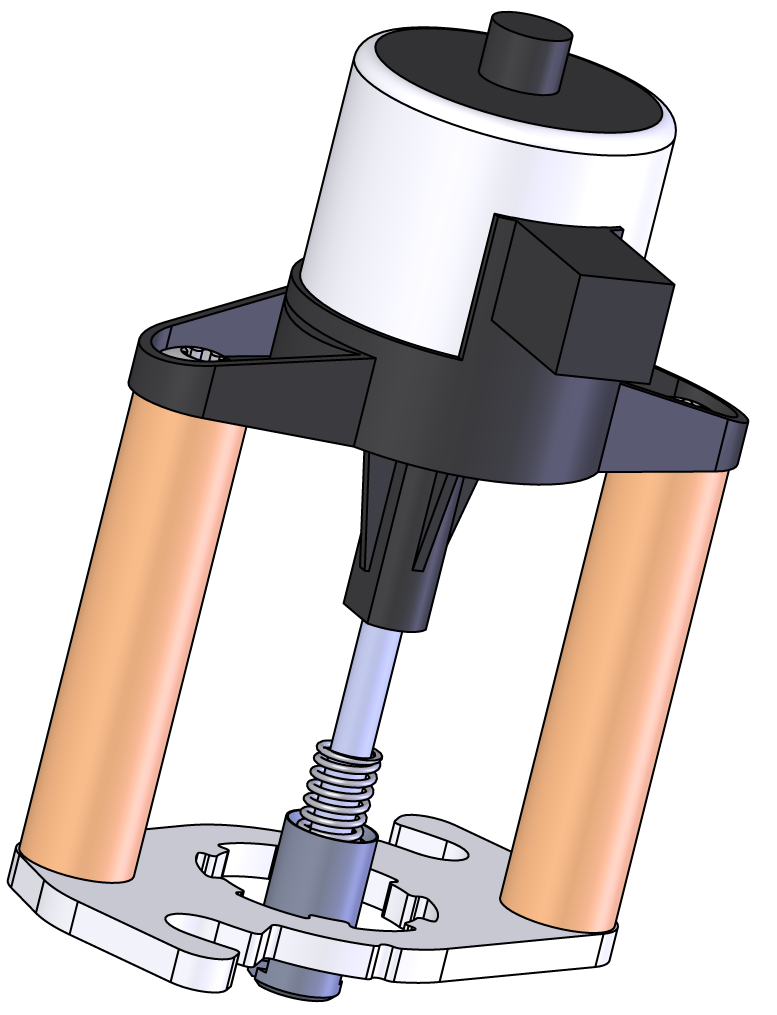
  • Remove the cooling valve (M_4 step motor).
    • Remove the cable on the step motor
    • Remove the mounting screws from the step motor to the housing 2x
    • Turn the step motor, pull it out slightly and move it out of the coupling
  • Install a new cooling valve (M_4 step motor).
    • Drive into the coupling and turn it into the end position
    • Fix 2 mounting screws
    • Connect the cable to the step motor

Check function

  • Connect the mains-connector and switch on the main switch (QS 1).
  • Select [User Profile] and set it to "Maintenance".
  • Select [Service] > [Parameter] > [Stepper Motors] > [KV2 Positioning]
  • Adjust the value and check whether the step motor including the piston is moving or not:
    • 0% = valve closed
    • 100% = valve opened
  • Switch on the unit using the I/O button (), check the tightness and function of the unit.

Switch off / install covers

  • Switch off the unit using the I/O button ().
    • The unit switches off and, if necessary, is cooled and depressurised.
  • Switch off the main switch (QS 1).
  • Re-attach covers from the unit (→ Open unit).