purpose

Replacing the antenna

qualification

Qualified electrical personnel

Material

Pos.Designationarticlenumber
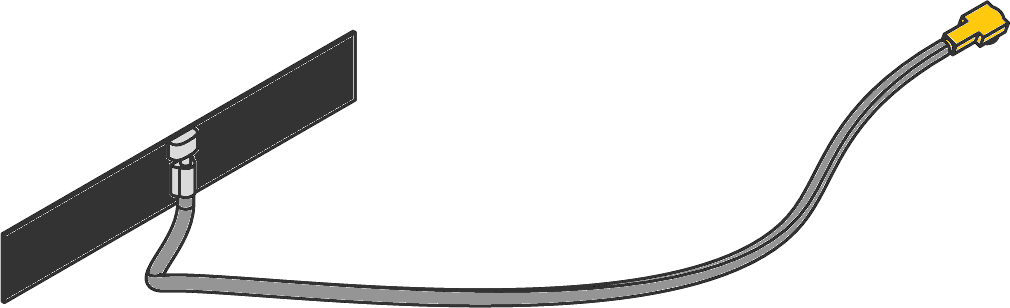
01Dual band Wi-Fi 2.4/5.8 GHz antennaT289191

Required material

  • Torx screwdriver size 10

procedure

ATTENTION!

Working with the unit requires knowledge of the safety instructions and quick guide. That's why:

Read the safety instructions and quick guide carefully before starting any work. The basic requirement for safe work is compliance with all safety instructions and careful action by qualified qualified personnel to prevent accidents involving personal injury and property damage.
Remove cover

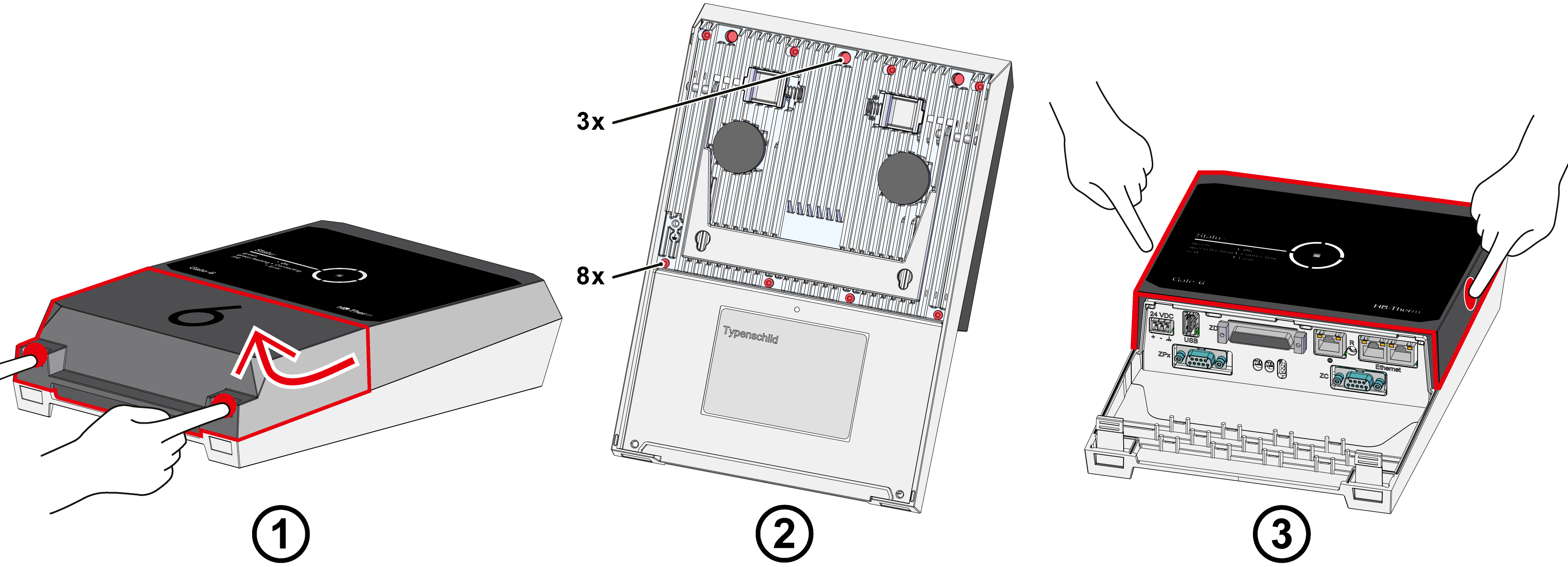
  • Cable cover
    • Hold down the fastening tabs and lift the cable cover upwards (Fig. → ①).
  • Disconnecting connections on the Gate-6
    • Disconnect all control cables and the power supply on the Gate-6.
  • Housing cover
    • Remove the fastening screws (11x) on the back of the Gate-6 (Fig. → ②)
    • Press the housing cover together sideways until you hear a click (Fig. → ③). Then remove the cover.

Replace spare part

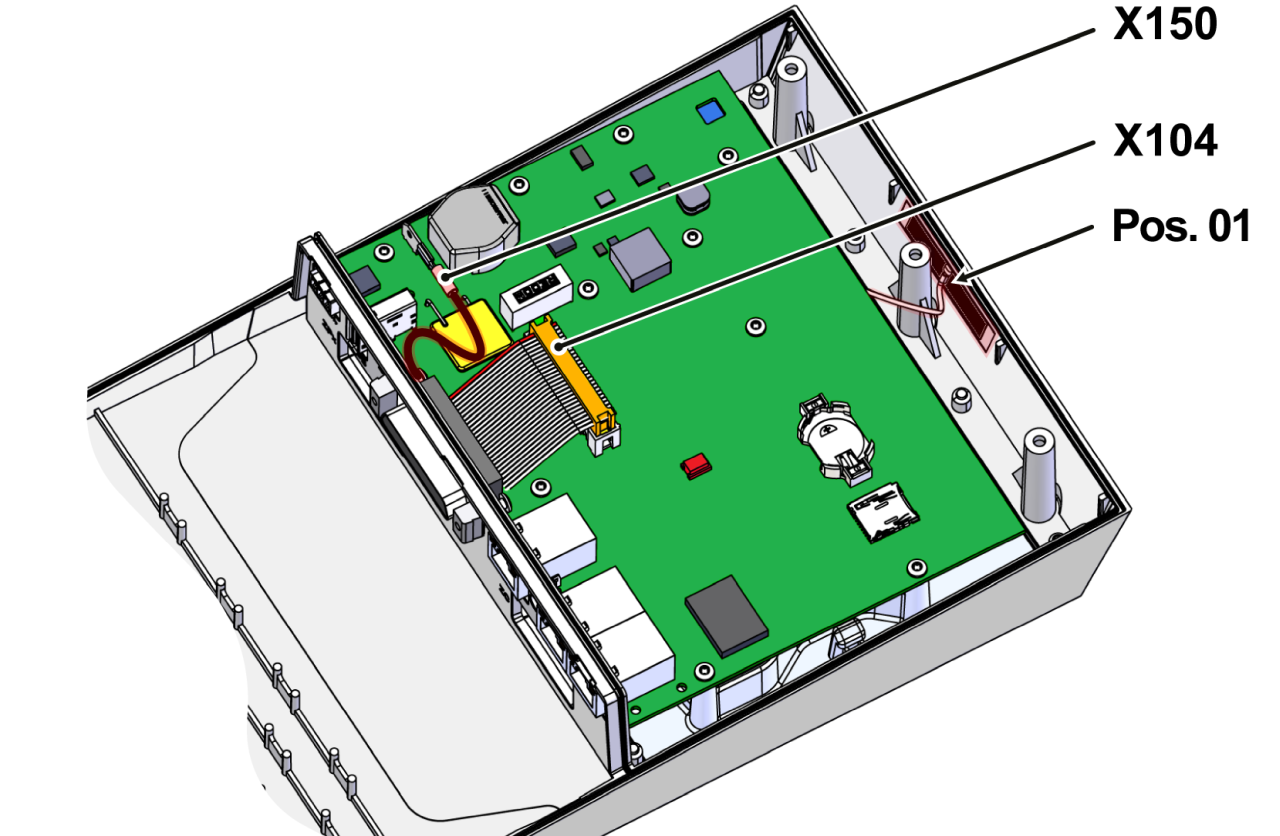
  • Remove the attached antenna from the housing (Pos. 01).
  • Remove adhesive residues from the surface and clean thoroughly
  • Detach plug connections on the GAT-61 control system (X150, X104).

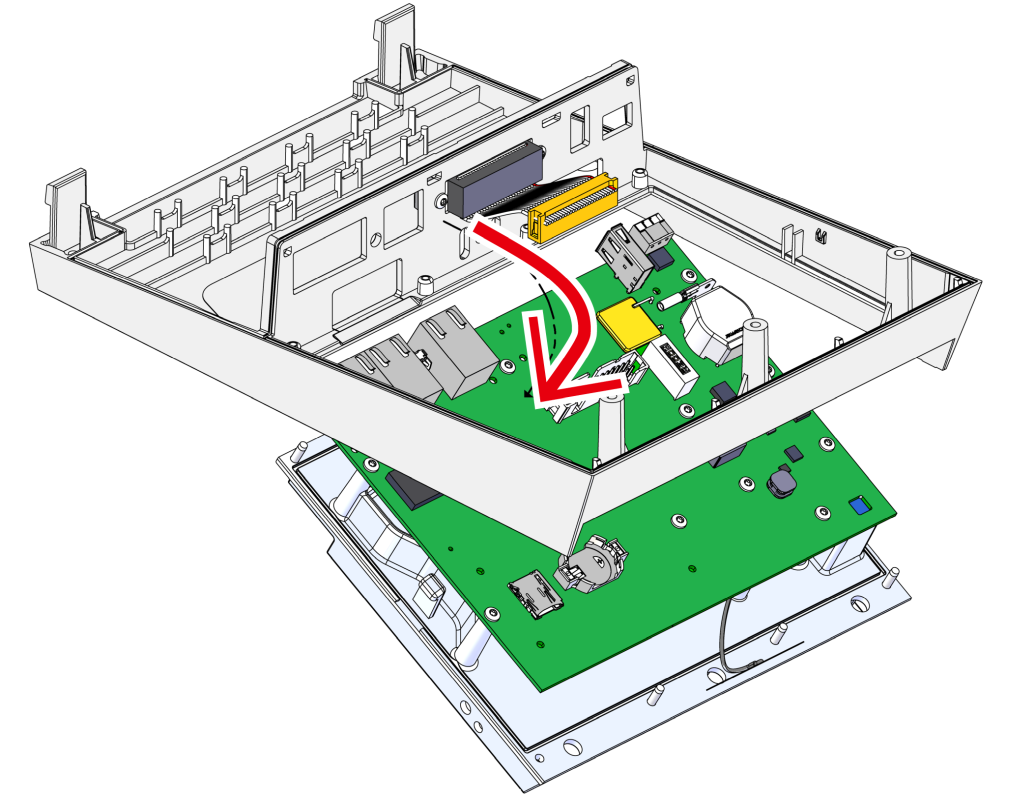
  • Remove the GAT-61 control system
    • Remove the GAT-61 control system including the heatsink from the housing
    • While doing so, push the housing apart to release the mounting straps.

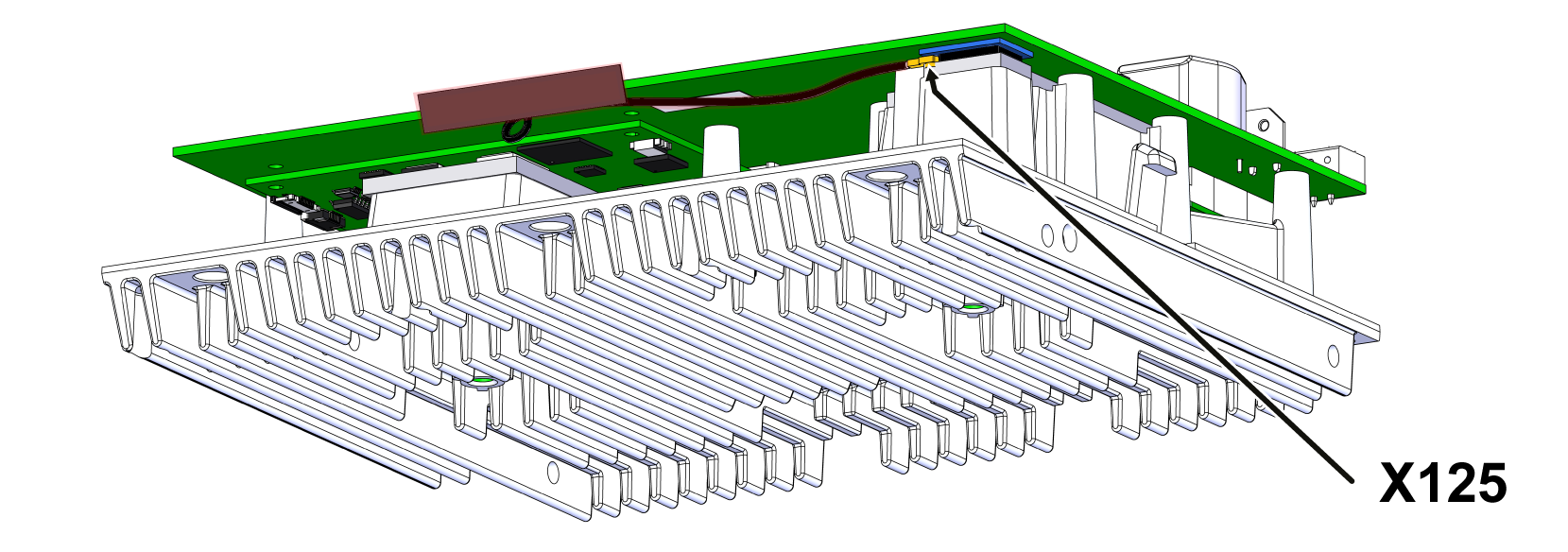
  • Remove the antenna cable from the GAT-61 control system and connect the new antenna cable (X125).

  • Put the GAT-61 control system, including the heatsink, back into the housing.
    • Make sure that the heatsink is locked in place on both sides.
  • Reconnect plug connections to the GAT-61 control system (X150, X104).
  • Remove the adhesive film from the new antenna.
  • Glue the antenna into the appropriate recess on the housing.

Install the cover

  • Put on the housing cover and press on from above and from the side until you hear a click.
  • Attach the fixing screws to the back of the Gate-6.
  • Stick the type plate (T19277) on the back of the Gate-6 and in the quick guide (O8406-X).

Check function

  • Check the connection via Bluetooth with the e-cockpit app.

  • Check communication via the interface in accordance with the procedure in the quick guide.
  • Put on the cable cover and press down until you hear a click.