purpose

Replacing the leak stopper module (ZLM) seals

qualification

Qualified personnel

Material

Pos.DesignationarticleT28995-1T28995-2
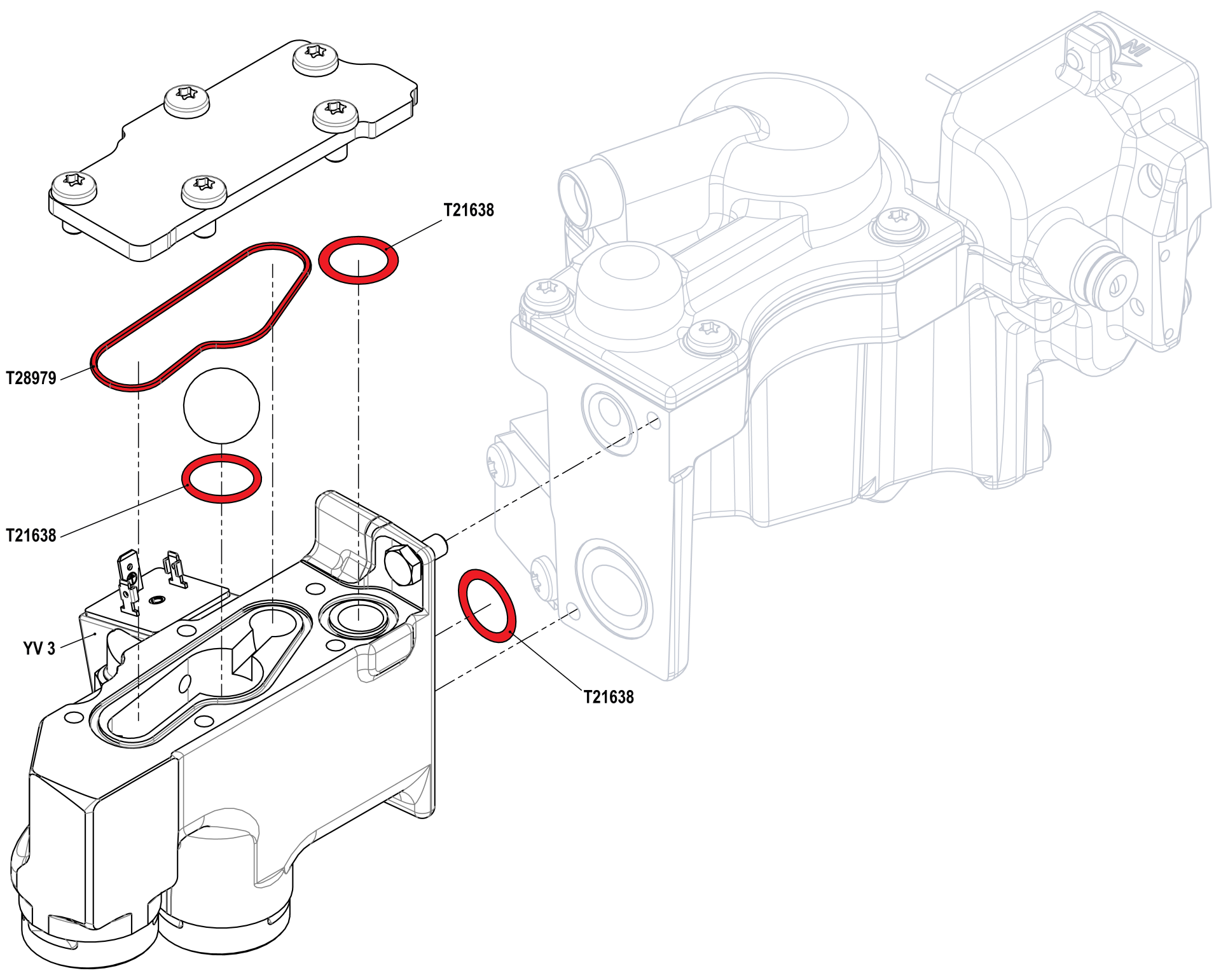
01O-ring FPM 56.87x1.78T289791-
02O-ring FPM 17x2T216383-
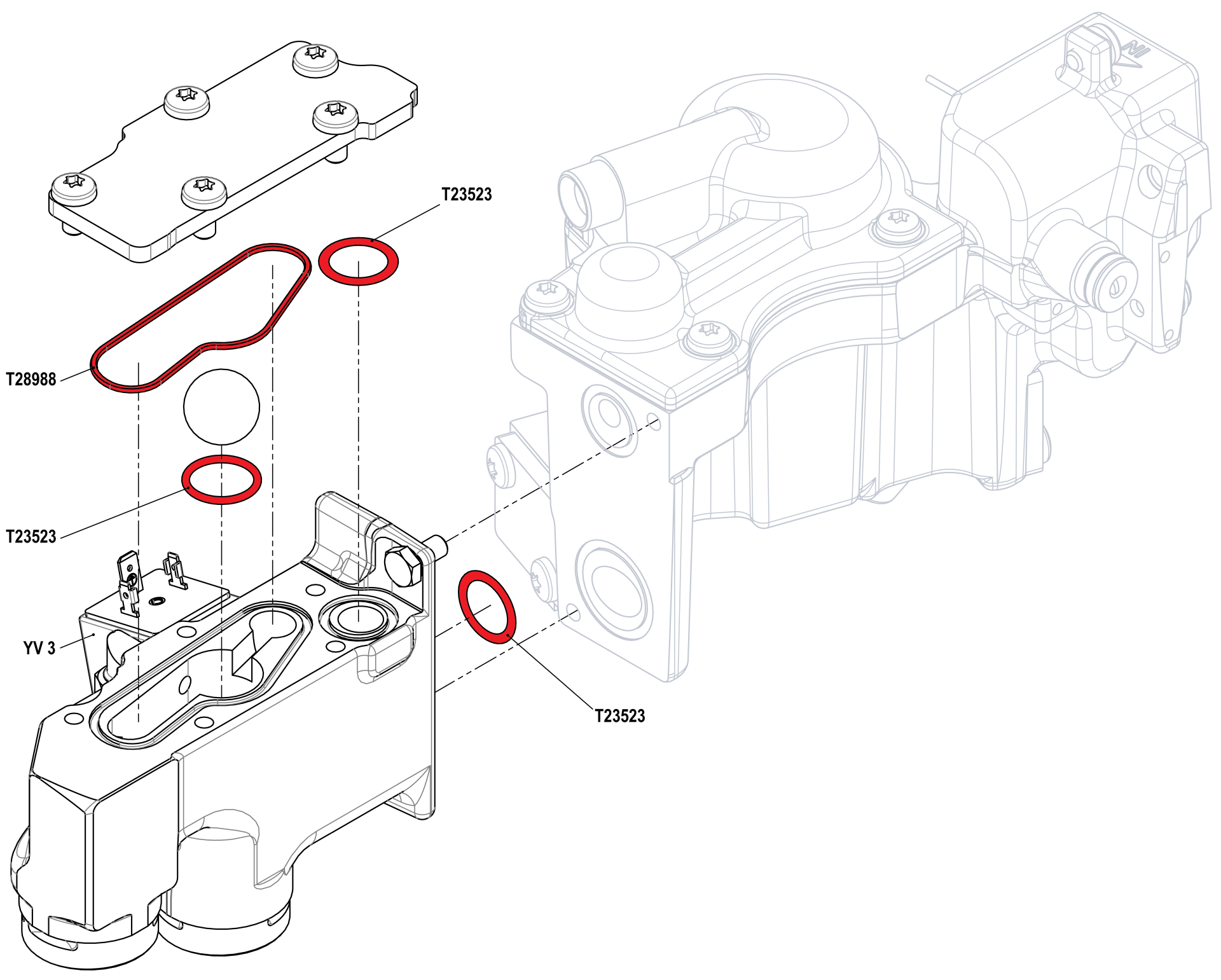
03O-ring FPM 56.87x1.78T28988-1
04O-ring FPM 17x2T23523-3

Required material

  • Torx screwdrivers, size 20 and 30
  • Flat head screwdriver, size 0
  • hexagonal wrench, size 10

procedure

ATTENTION!

Working with the unit requires knowledge of the safety instructions and quick guide. That's why:

Read the safety instructions and quick guide carefully before starting any work. The basic requirement for safe work is compliance with all safety instructions and careful action by qualified qualified personnel to prevent accidents involving personal injury and property damage.


Cooling / emptying

  • On the basic screen, tap the function button ().
    • The unit cools down until the temperature is lower than the cooling temperature. The unit then switches off.

Check pressure / switch off unit

  • Select [Display] > [Actual Values] > [System Pressure].
    • The system pressure must display 0.0 (±0.1) bar.
  • The pressure shown by the pressure gauge must be 0.0 (+0.3) bar.

  • Switch off the main switch (QS 1), pull out the mains-connector.

Remove covers

  • Remove covers from the unit (→ Open unit).
  • To access the leak stopper module (ZLM), the entire air duct must be dismantled with 6 mounting screws.
Replacing seals
  • Remove and remove the YV_3 solenoid valve cable connector.
  • Open leak stopper module (ZLM) as shown.
  • Remove the seals and clean the space where the seals are installed.
  • Insert new seals and close the heat transfer medium module (ZLM) again.
  • Install and tighten the YV_3 solenoid cable connector.

T28995-1: HB-100/140Z61/62 (4T/4S)

T28995-2: HB-160Z61/62 (4S)

Check tightness / function

  • Connect the mains-connector and switch on the main switch (QS 1).
  • Switch on the unit using the I/O button (), check the tightness and function of the unit.
Switch off / install covers
  • Switch off the unit using the I/O button ().
    • The unit switches off and, if necessary, is cooled and depressurised.
  • Switch off the main switch (QS 1).
  • Re-attach covers from the unit (→ Open unit).