purpose

Retrofitting additional equipment ZB

qualification

Qualified personnel

Material

Pos.DesignationarticleT29216
01

cable X25/X26, 0,26 m

T28732-11
02

Torx screw M3x12

B19834072
03

hexagonal nut M3

B18746592
04

cable ZB, 6 m

T24562-11
05nameplateT192773

Required material

  • Torx screwdriver, size 20
  • Ring spanner, size 5.5

procedure

ATTENTION!

Working with the unit requires knowledge of the safety instructions and quick guide. That's why:

Read the safety instructions and quick guide carefully before starting any work. The basic requirement for safe work is compliance with all safety instructions and careful action by qualified qualified personnel to prevent accidents involving personal injury and property damage.
cooling / switch off

  • On the basic screen, tap the function button ().
    • The unit cools down until the temperature is lower than the cooling temperature. The unit then switches off.

  • Switch off the main switch (QS 1), pull out the mains-connector.

Open front

  • Open the front door and fold the front completely down by loosening the two Torx screws.
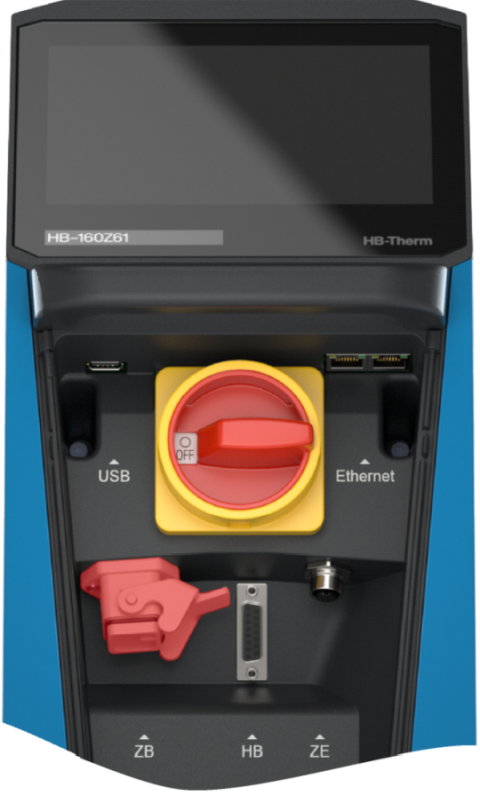
  • Remove the blind plug from the appropriate connection to the additional equipment. This is no longer required.

Retrofit

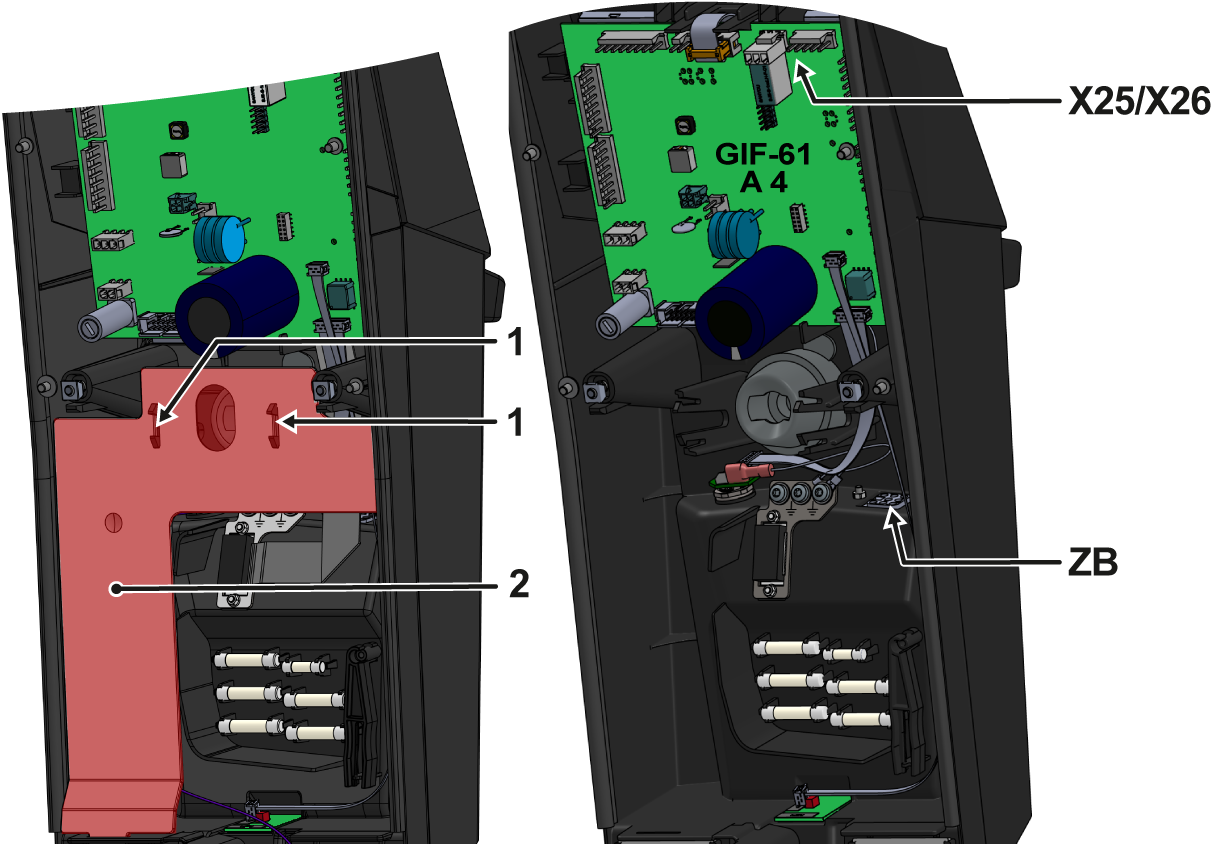
  • Press the mounting straps () together and remove the cable cover (②).
  • Pass the cable (X25/X26, T28732-1) through the “ZB” opening on the front and screw it tight.
    • Insert the outer screw first, then the inner screw and fix it with mounting nuts.
  • Route the cable (X25/X26, T28732-1) to the unit board (GIF-61) and connect.
    • 5-pin connector → X25 (GIF-61)
    • 3-pin connector → X26 (GIF-61)
  • Insert the cable cover (②) into the appropriate recesses.
    • Make sure the mounting clips (①) snap into place.

Close front

  • Fold up the front and secure 2x Torx screws.

Check function

  • Connect the mains-connector and switch on the main switch (QS 1).
    • The initialisation starts and recognizes the additional equipment.
  • Verify that the additional equipment has been recognized. Tapping on the status field () opens the information system. The information system displays device information and available additional equipment.
    • If the additional equipment is not shown, check all connectors and restart the unit.
  • Check functionality by connection an external control cable (see).Remote control

Switch off

  • Switch off the main switch (QS 1).