Download PDF
Download page T28934, T25914: Cooling valve 1.
T28934, T25914: Cooling valve 1
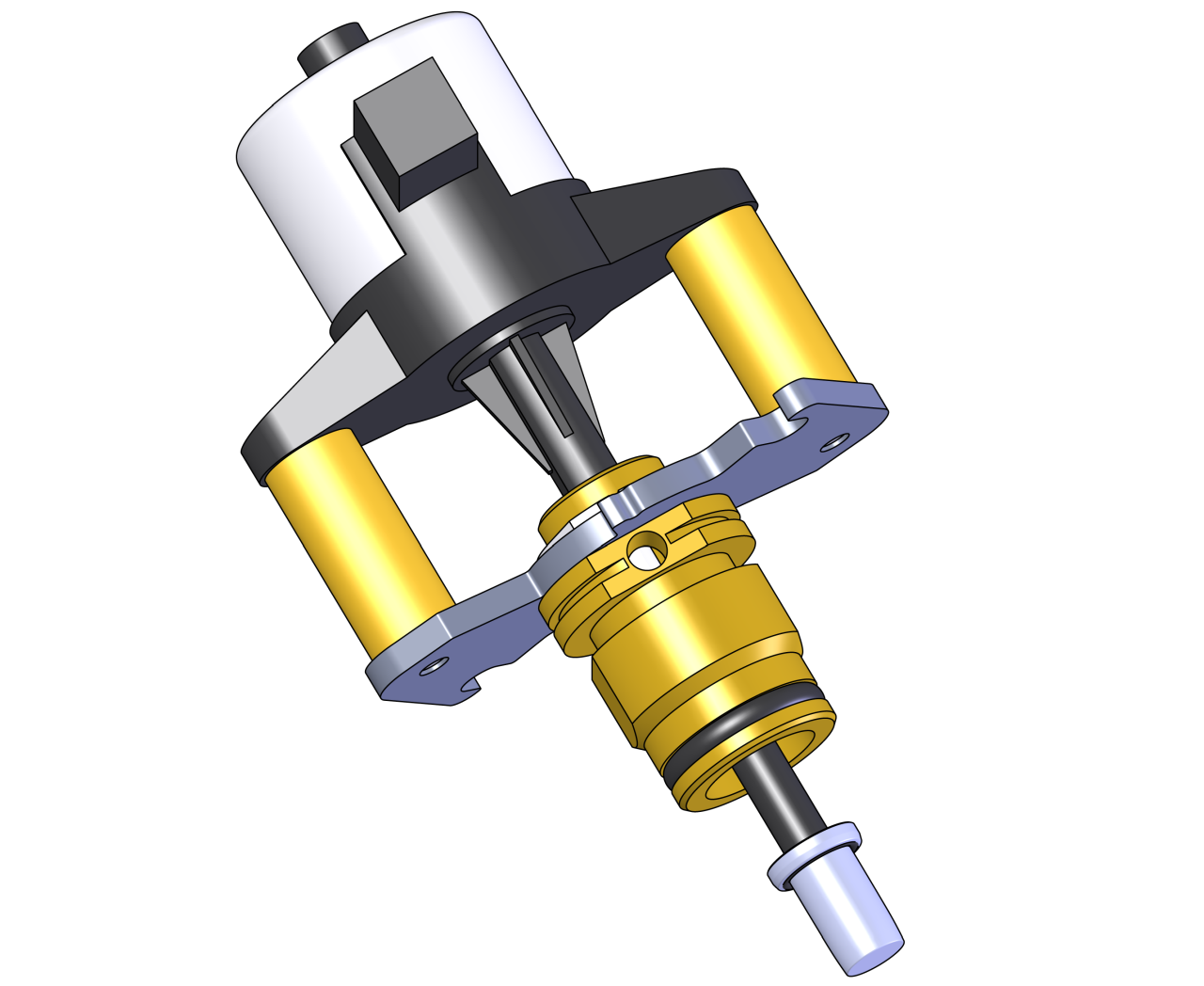
purpose
Replacing the cooling valve 1 (M 3)
qualification
Qualified personnel
Material
| Pos. | Designation | T28934 | T25914 |
| 01 | cooling valve 1, 7 mm | 1 | - |
| 01 | cooling valve 1, 10 mm | - | 1 |
Required material
- Torx screwdriver size 20
procedure

ATTENTION!
Working with the unit requires knowledge of the safety instructions and quick guide. That's why:
Read the safety instructions and quick guide carefully before starting any work. The basic requirement for safe work is compliance with all safety instructions and careful action by qualified qualified personnel to prevent accidents involving personal injury and property damage.
Cooling / emptying
- On the basic screen, tap the function button (
 ).
). - On the basic screen, tap the function button (
 ).
).- The unit cools down and evacuation the mold before switching it off.
Switch off / remove covers
- Switch off the main switch (QS 1), pull out the mains-connector.
- Remove the cooling water supply (connection C).
- Remove covers from the unit (→ Open unit).
- Open the service flap on the back wall of the unit (→ Open unit).
Replace spare part
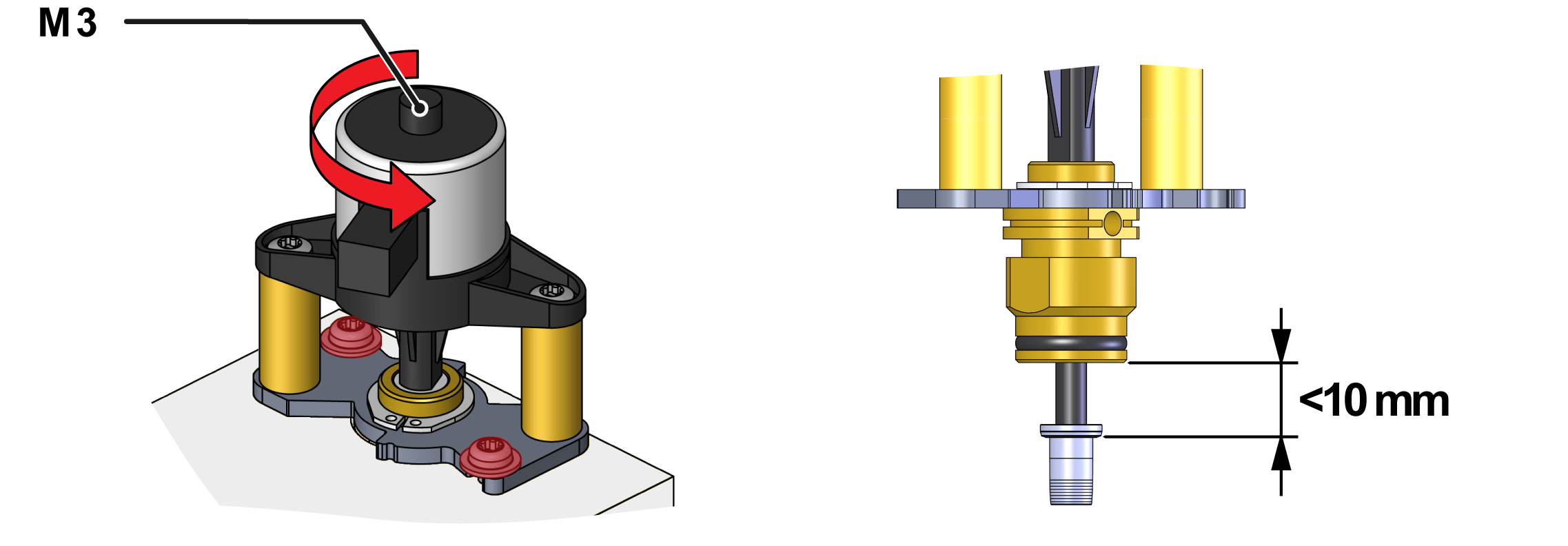
- Unplug the cable on the cooling valve (M_3).
- Remove the mounting screws on the cooling water module twice.
- Turn the cooling valve and pull it out.
ATTENTION — Improper installation!
Spare parts are delivered with valve pistons that are not fully extended. Valve plunger can brace. That's why:
- Never install the valve with the valve piston fully extended (fig.).
- Install a new cooling valve (M_3) and turn it to the end position.
- Secure the 2 mounting screws to the cooling water module.
- For plastic cooling water module (PPS), tighten the screw with 2 Nm — do not exceed it!
- Connect the cable to the cooling valve (M_3).
Check tightness / function
- Connect the cooling water supply (connection C).
- Connect the mains-connector and switch on the main switch (QS 1).
- Select [User Profile] and set it to "Maintenance".
- Select [Service ] > [parameter ] > [Stepper Motors ] > [Positioning KV 1].
- Adjust the value and check the cooling water flow:
- 0% = valve closed
- 100% = valve opened
-
Switch on the unit using the I/O button (
 ), check the tightness and function of the unit.
Switch off / install covers
-
Switch off the unit using the I/O button ().
- The unit switches off and, if necessary, is cooled and depressurised.
- Switch off the main switch (QS 1).
- Re-attach covers from the unit (→ Open unit).